
Video editing no longer belongs only to creators with expensive workstations and high-end GPUs. Millions of students, beginner YouTubers, freelancers, and small business owners work on modest laptops and desktop computers every day. The real challenge is not creativity — it is choosing software that runs smoothly on limited RAM, older processors, and entry-level graphics cards without constant lag, crashes, or export failures.
This comprehensive guide explores the best video editing software for low end PCs, explaining how each tool performs, what hardware it requires, and how to optimize performance. Whether you have 4GB or 8GB RAM, an older Intel i3 processor, or integrated graphics, there are reliable options available.
Before diving into the tools, it is important to understand what “low end PC” actually means in practical terms.
What Is Considered a Low End PC for Video Editing?
A low end PC typically includes:
- 4GB–8GB RAM
- Dual-core or older quad-core CPU
- Integrated graphics (Intel HD / UHD Graphics)
- HDD storage instead of SSD
- Windows 10 or older macOS version
Editing high-resolution 4K footage on such systems can cause freezing and long render times. However, 720p or optimized 1080p editing is very achievable with the right software and workflow.
The key is lightweight optimization, not just feature count.
1. VSDC Free Video Editor (Windows)
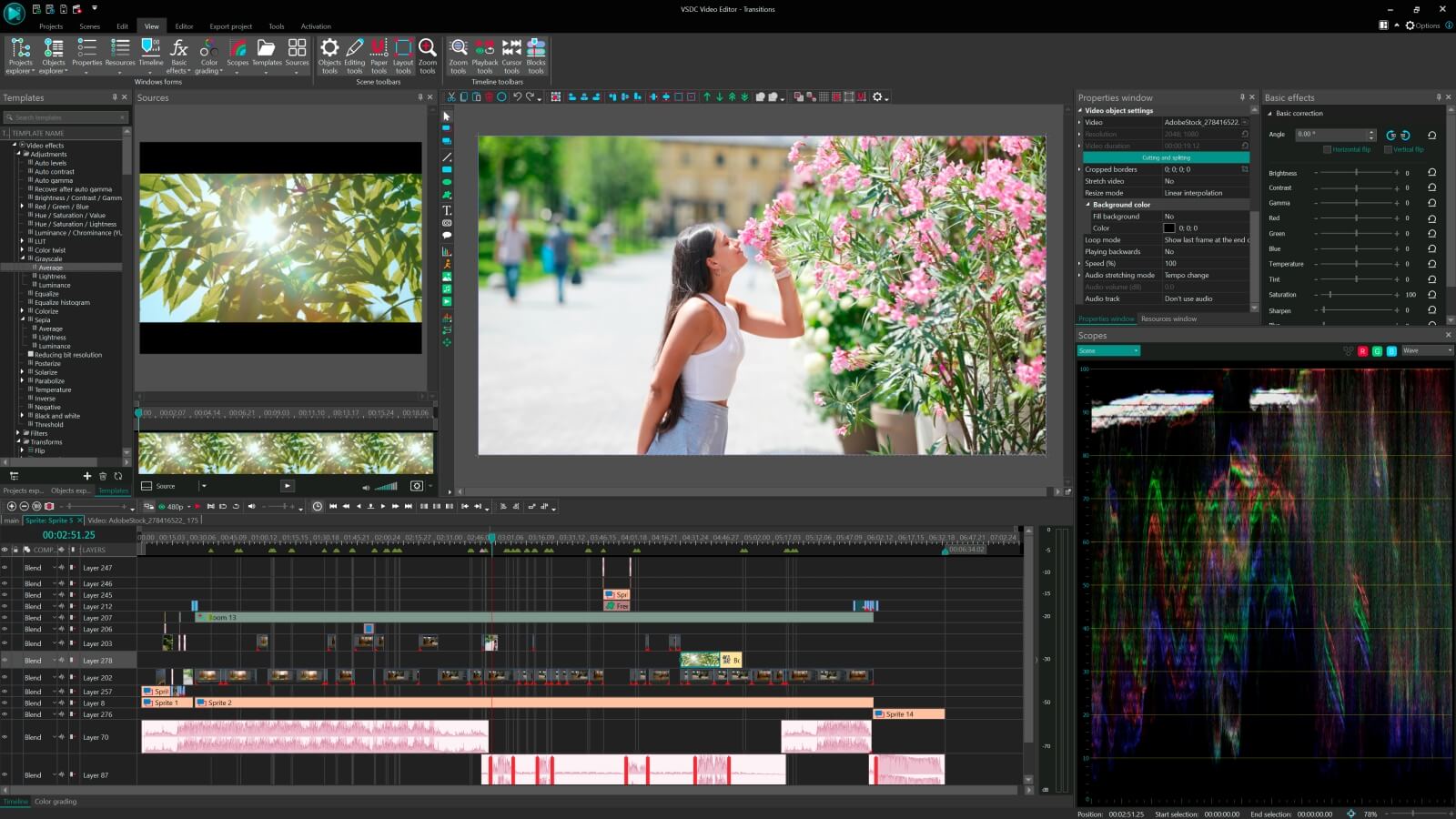
VSDC Free Video Editor is widely regarded as one of the most powerful lightweight editors for Windows systems with limited hardware resources. Unlike many modern editors that demand dedicated GPUs, VSDC is optimized to work efficiently even on PCs with integrated graphics.
Why It Works Well on Low End PCs
VSDC uses non-linear editing architecture that allows frame-level control without forcing real-time heavy GPU processing. It supports proxy editing, which means lower-resolution preview files can be used during editing to reduce lag.
Key Features
- Non-linear timeline editing
- Chroma key support
- Motion tracking
- Built-in color correction
- Screen recording tool
Minimum Recommended Specs
- 2GB RAM (4GB recommended)
- 1.5GHz processor
- Basic DirectX-compatible graphics
Best For
YouTube beginners, educational projects, marketing clips, and social media videos under 15 minutes.
One limitation is that the interface may feel slightly technical for absolute beginners, but performance stability on low end hardware makes it a strong choice.
2. Shotcut (Windows, macOS, Linux)

Shotcut is a free, open-source video editor known for flexibility and moderate system requirements. While it can scale up for advanced use, it remains usable on lower-end machines when optimized correctly.
Performance Considerations
Shotcut performs well when hardware acceleration is disabled on very old GPUs. It supports proxy editing and allows reducing preview resolution, which significantly improves smoothness on 4GB–8GB systems.
Key Features
- Wide format support
- Advanced filters
- Audio editing tools
- 4K timeline support (with proper optimization)
Minimum Recommended Specs
- 4GB RAM
- 64-bit OS
- Basic GPU
Best For
Creators who want more control than beginner software provides but cannot afford premium tools.
The learning curve is moderate, but its flexibility makes it future-proof even if hardware upgrades happen later.
3. OpenShot (Beginner Friendly)
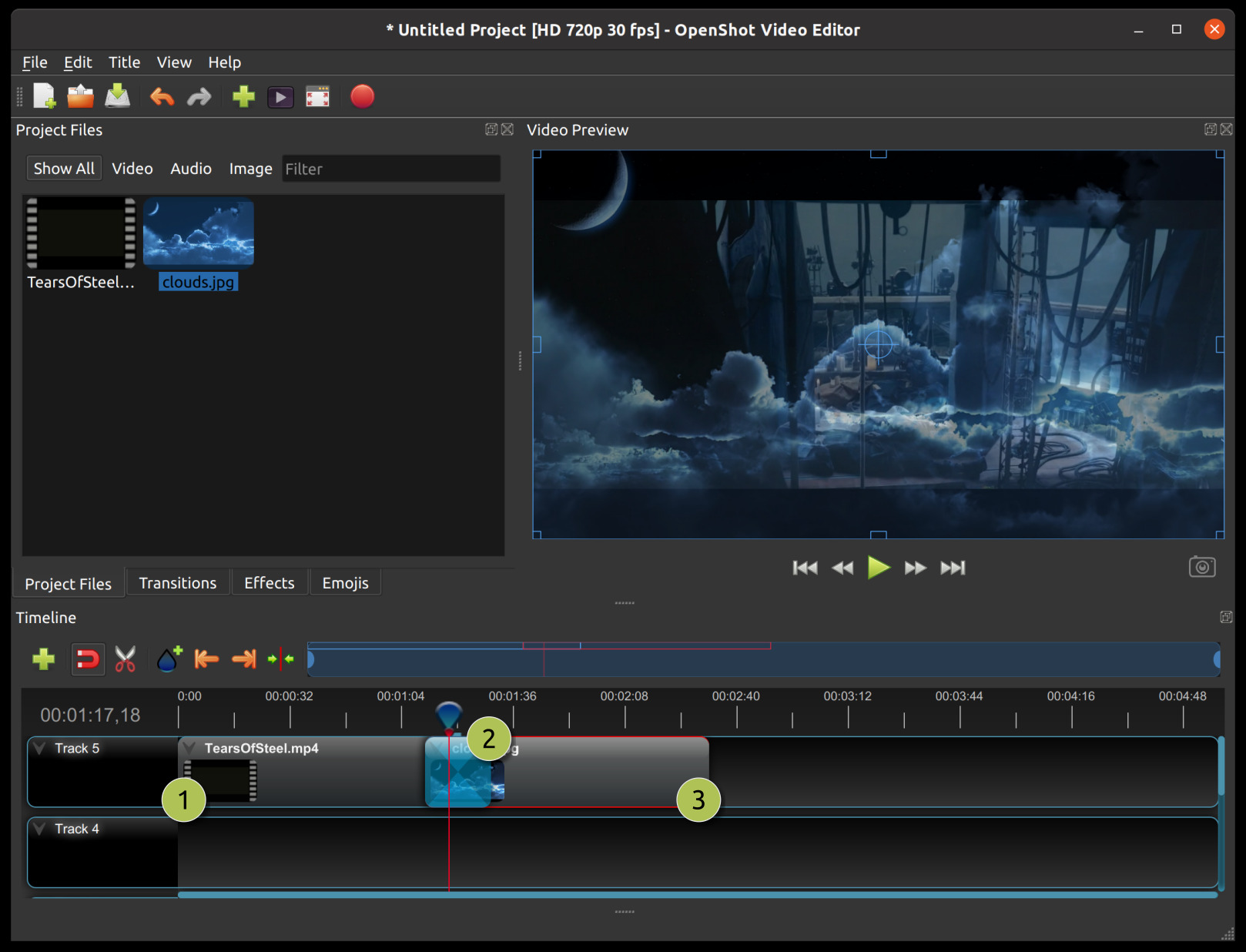
OpenShot is often recommended for entry-level editing because of its simple drag-and-drop interface. While not the fastest software available, it can run on low-spec machines if project settings are kept light.
Strengths
- Extremely easy interface
- Unlimited tracks
- Basic animation features
- Cross-platform support
Weaknesses on Low End PCs
OpenShot can lag with multiple transitions or high-resolution files. Reducing preview quality is essential for smoother performance.
Minimum Recommended Specs
- 4GB RAM
- Multi-core processor
Best For
School projects, short social media clips, and simple cuts with minimal effects.
OpenShot is ideal for users who prioritize ease of use over advanced editing complexity.
4. Lightworks (Free Version)
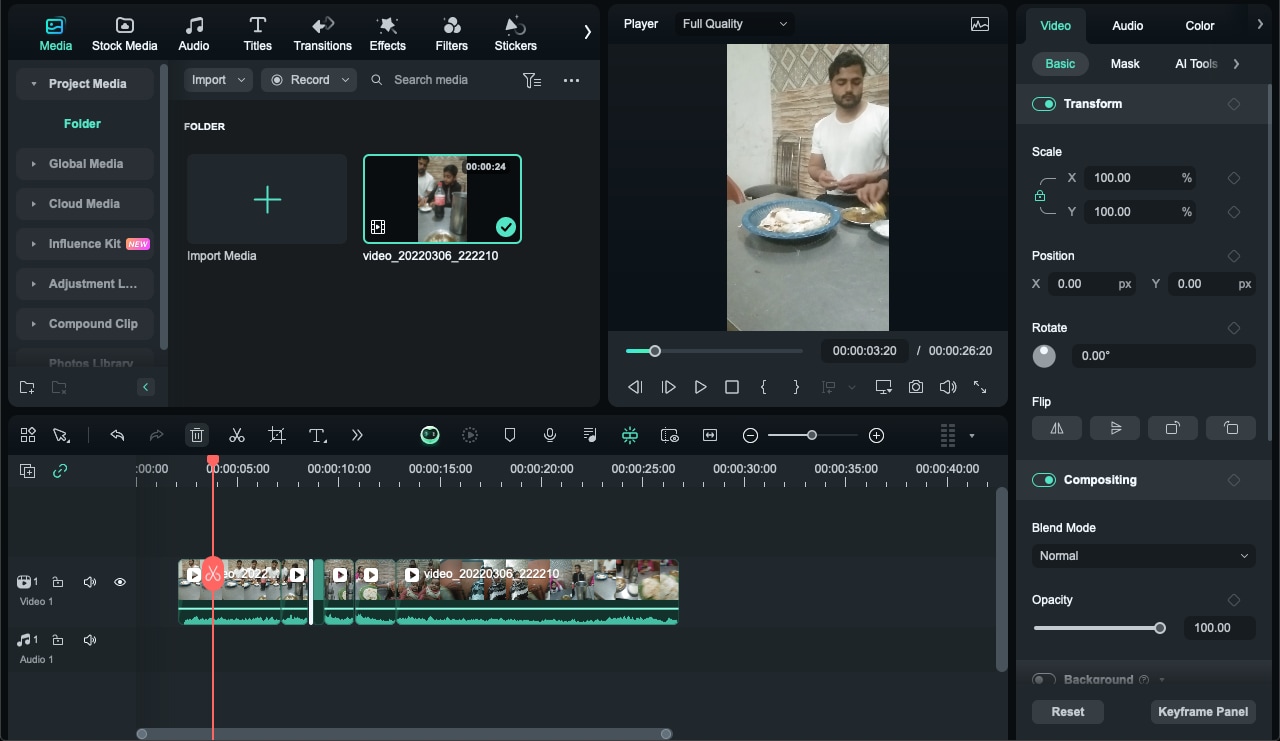
Lightworks has professional roots and has been used in major film productions. The free version offers strong editing tools without extreme hardware demands.
Performance on Low End Systems
Lightworks can operate on 4GB–8GB RAM if background applications are minimized. It is optimized for efficient trimming and timeline playback compared to some heavier editors.
Key Features
- Professional trimming tools
- Multicam editing
- Real-time effects
Limitation
The free version limits export resolution to 720p, which is sufficient for many online platforms but may not suit high-resolution needs.
Best For
Serious beginners who want a professional workflow without heavy system requirements.
5. DaVinci Resolve (Optimized Use on Low End PC)
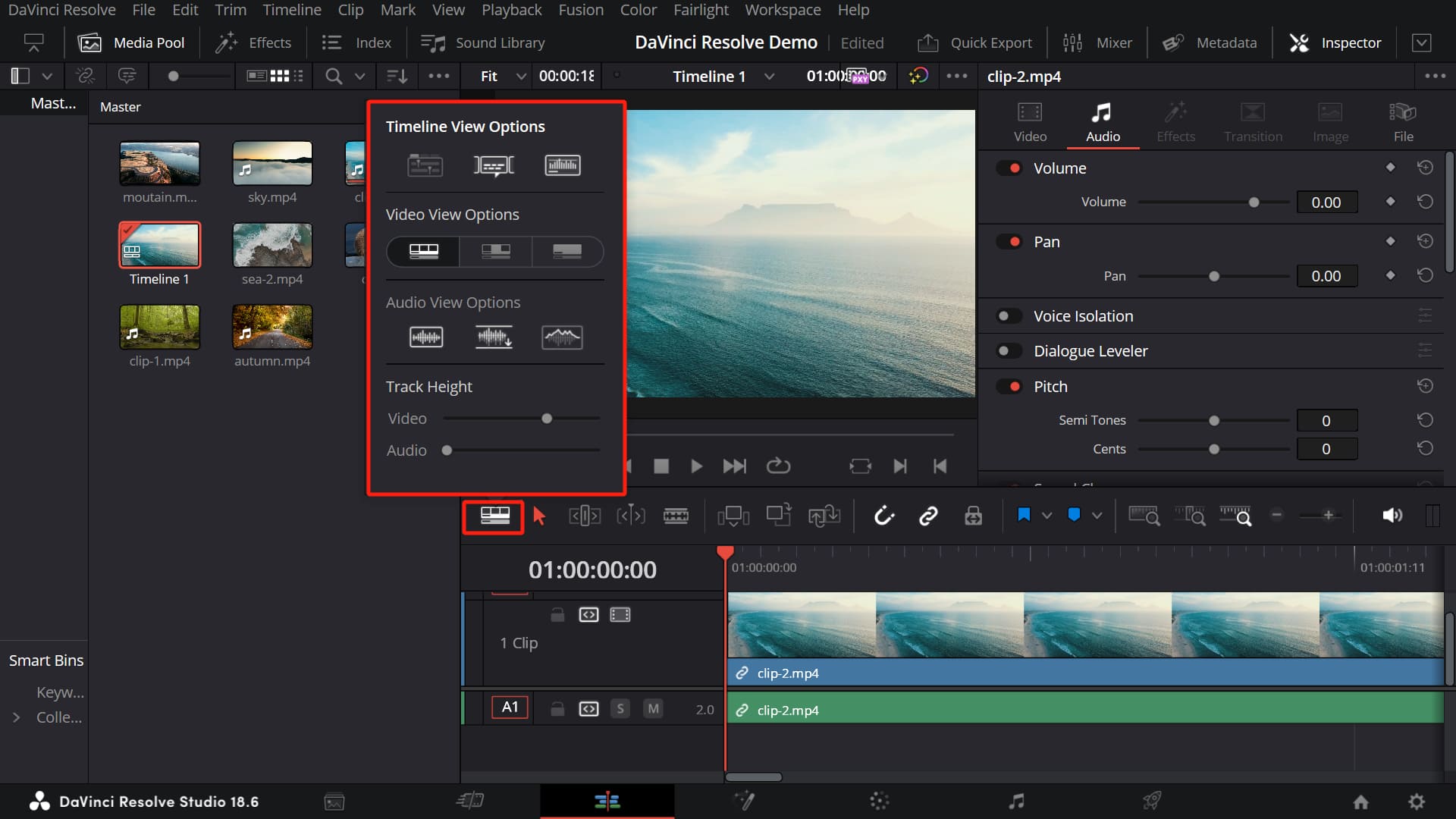
DaVinci Resolve is often considered heavy, but it can run on low end PCs under specific conditions. The key is understanding its resource usage.
Important Considerations
- Requires at least 8GB RAM (16GB recommended)
- SSD significantly improves performance
- Integrated GPUs may struggle with advanced color grading
When optimized by disabling high-end effects and lowering timeline resolution, it can function adequately for basic editing tasks.
Best For
Users planning future hardware upgrades who want to learn industry-standard software early.
For 4GB RAM systems, Resolve is not recommended.
6. VideoPad Video Editor
VideoPad is a lightweight alternative that prioritizes simplicity and low resource consumption. It supports essential editing tools and works well on modest systems.
Key Benefits
- Fast installation
- Minimal RAM usage
- Simple timeline
It does not provide advanced cinematic features but is stable and reliable for basic content creation.
Comparison Table: Best Video Editing Software for Low End PC
Feature Comparison at a Glance
| Software | Minimum RAM | Best Resolution | Difficulty Level | Best For | Runs on 4GB RAM |
|---|---|---|---|---|---|
| VSDC | 2GB | 1080p | Medium | YouTube & marketing videos | Yes |
| Shotcut | 4GB | 1080p | Medium | Flexible editing | Yes |
| OpenShot | 4GB | 720p–1080p | Easy | Beginners | Yes |
| Lightworks | 4GB | 720p (Free) | Medium | Professional workflow | Yes |
| DaVinci Resolve | 8GB | 1080p–4K | Advanced | Future-proof learning | Limited |
| VideoPad | 4GB | 1080p | Easy | Simple projects | Yes |
How to Make Any Editor Run Better on a Low End PC
Software choice matters, but optimization makes the biggest difference.
1. Use Proxy Editing
Proxy files are lower-resolution copies of original footage. Editing becomes smoother, and the final export still uses the full-quality source.
2. Reduce Preview Resolution
Lowering preview playback resolution dramatically reduces CPU strain.
3. Close Background Applications
Browsers and antivirus scans consume memory. Keeping only the editing software open improves stability.
4. Convert Footage Before Editing
Highly compressed formats like HEVC are CPU-intensive. Converting files to more edit-friendly codecs improves playback performance.
5. Upgrade to SSD If Possible
Even an inexpensive SSD significantly reduces loading and export times compared to traditional HDDs.
Choosing the Right Software Based on Your System
If your PC has 4GB RAM and HDD storage, VSDC or VideoPad is the safest option. For 8GB RAM with SSD, Shotcut or Lightworks becomes practical. For 8GB RAM with integrated graphics and careful optimization, DaVinci Resolve can be explored.
The right choice depends on balancing features with stability. A lighter tool that renders reliably is more productive than a heavy tool that crashes frequently.
Common Mistakes to Avoid
- Editing directly in 4K on 4GB RAM
- Adding multiple heavy transitions
- Keeping auto-save interval too short
- Ignoring software updates that improve optimization
Efficiency is not about cutting features; it is about strategic usage.
Frequently Asked Questions
Which video editor works best on 4GB RAM?
VSDC and VideoPad are among the most stable options for 4GB RAM systems, especially when editing 720p content.
Can 8GB RAM handle 1080p editing?
Yes, 8GB RAM can handle 1080p editing smoothly in Shotcut, Lightworks, or optimized DaVinci Resolve projects.
Is a graphics card necessary for video editing?
A dedicated GPU improves performance but is not mandatory for lightweight editing software. Many editors run on integrated graphics.
Why does video editing lag even in simple projects?
Lag can result from high-resolution footage, background processes consuming RAM, slow HDD storage, or unsupported codecs.
Should beginners choose simple or advanced software?
Beginners with low end PCs should prioritize lightweight software that runs smoothly rather than complex editors requiring powerful hardware.
Final Thoughts
Editing videos on a low end PC is completely possible with the right combination of software choice, realistic expectations, and smart optimization. Lightweight editors such as VSDC, Shotcut, OpenShot, Lightworks, and VideoPad provide practical solutions for students, freelancers, educators, and content creators working within hardware limits.
Performance stability should always be prioritized over advanced effects. Smooth playback, reliable exporting, and manageable file sizes are more valuable than cinematic transitions that slow down the system. Proxy editing, reduced preview resolution, and SSD upgrades further extend the life of older machines.
For creators just starting out, the focus should remain on storytelling, clarity, and consistent output rather than chasing hardware-heavy tools. As skills improve and resources grow, transitioning to more demanding software becomes easier because foundational editing principles remain the same.
A low end PC does not limit creativity — it simply requires smarter choices. By selecting optimized video editing software and applying efficient workflow techniques, professional-quality results are achievable without expensive hardware upgrades.

