
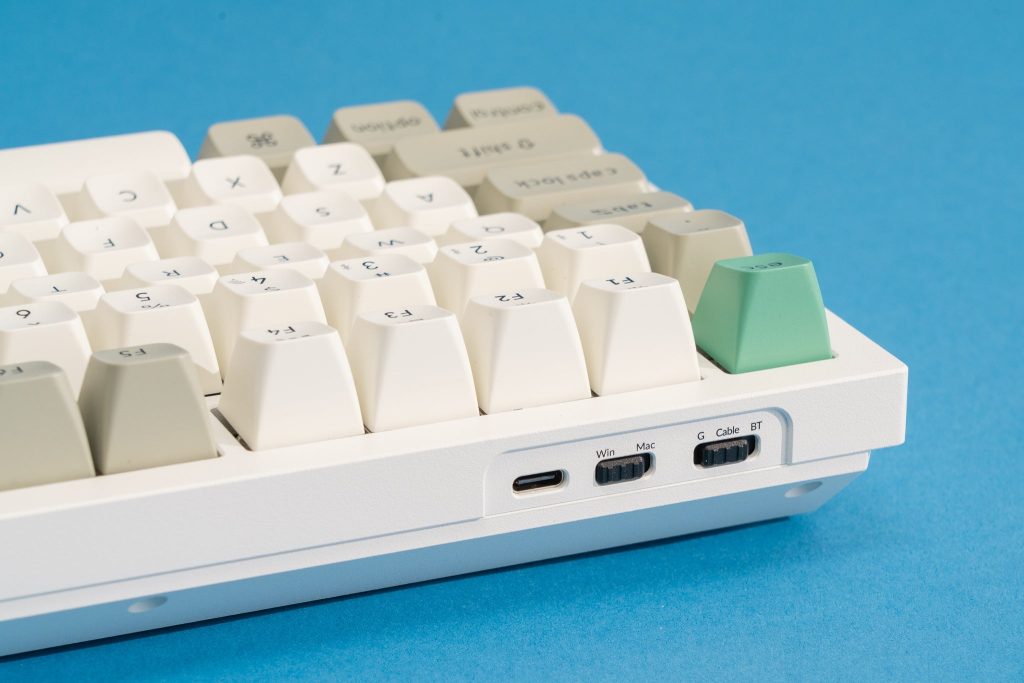
A mechanical keyboard is more than a typing tool for programmers. It is a long-term productivity investment that directly affects comfort, speed, accuracy, and even physical health. Unlike traditional membrane keyboards, mechanical keyboards use individual switches under each key, offering tactile feedback, durability, and precision that many developers prefer for long coding sessions.
According to research published by institutions like the Massachusetts Institute of Technology (MIT) on human-computer interaction, input devices significantly influence productivity and ergonomic strain. When writing thousands of lines of code weekly, the keyboard becomes a primary interface with the digital world. Choosing the right one—especially on a budget—requires understanding not only price but performance, build quality, and long-term value.
This guide explores everything programmers need to know about finding an affordable mechanical keyboard without sacrificing quality.
Why Programmers Prefer Mechanical Keyboards
Mechanical keyboards are designed around individual mechanical switches, each with its own spring and housing. This design offers several measurable benefits:
1. Tactile Feedback and Precision
Programmers often type for 6–10 hours per day. Tactile switches provide a noticeable bump at actuation, helping reduce bottoming out and increasing typing accuracy. Studies from reputable ergonomics research groups such as those affiliated with Harvard’s T.H. Chan School of Public Health emphasize the importance of tactile input in reducing repetitive strain injuries.
2. Durability
Most mechanical switches are rated for 50–100 million keystrokes, far exceeding membrane keyboards. For professionals who code daily, this means years of consistent performance.
3. Customization and Repairability
Mechanical keyboards allow keycap replacement, switch replacement (in hot-swappable models), and firmware customization. This extends lifespan and reduces long-term costs.
4. Typing Efficiency
Faster actuation points can reduce finger travel distance, improving typing speed. For programmers writing in languages like Python, JavaScript, or C++, where syntax accuracy is crucial, consistent keystrokes matter.
Affordable models now offer these advantages without premium pricing.
What “Affordable” Really Means
An affordable mechanical keyboard for programmers typically falls between ₹3,000 and ₹8,000 (or $40–$100 internationally). Within this range, it is possible to find:
- Reliable switches (Outemu, Gateron, TTC, or similar)
- Solid plastic or aluminum top plates
- Anti-ghosting and N-key rollover
- Optional RGB lighting
- Wired USB-C connectivity
The goal is not the cheapest keyboard available but the best value per rupee spent. A poorly built keyboard can cause missed keystrokes, inconsistent feel, and frustration during debugging sessions.
Key Features Programmers Should Prioritize
1. Switch Type: Linear, Tactile, or Clicky
Switch type is the most important decision.
- Linear switches: Smooth keystrokes without tactile bump (e.g., red-type switches). Suitable for fast typists.
- Tactile switches: Provide a bump during actuation (brown-type). Popular among programmers for balanced feedback.
- Clicky switches: Audible click plus tactile bump (blue-type). Great feedback but noisy for shared spaces.
For office environments or shared rooms, tactile switches are often ideal. Linear switches may reduce finger fatigue for long coding marathons.
2. Keyboard Layout: Full-Size vs TKL vs 60%
Programmers frequently use arrow keys, function keys, and navigation clusters.
- Full-size (100%): Includes number pad. Useful for data-heavy work.
- Tenkeyless (TKL): Removes number pad for compactness.
- 60% / 65%: Minimal footprint, portable but may require function-layer shortcuts.
Many developers prefer TKL for a balance between space and productivity.
3. Build Quality and Stabilizers
Affordable keyboards often cut costs on stabilizers, which affect larger keys like Spacebar and Enter. Poor stabilizers produce rattling. Reviews from respected tech publications such as PCMag and TechRadar frequently emphasize stabilizer quality as a deciding factor in budget keyboards.
Look for:
- Plate-mounted or PCB-mounted stabilizers
- Minimal rattle
- Consistent key feel across large keys
4. Hot-Swappable Support
Hot-swappable keyboards allow switch replacement without soldering. This is ideal for programmers experimenting with different switch types. It increases longevity and flexibility.
5. Wired vs Wireless
Wired keyboards offer lower latency and consistent performance. Wireless models add flexibility but may require charging and can introduce slight input delay.
For most programmers, wired USB-C models remain the most reliable choice.
Top Affordable Mechanical Keyboards for Programmers
1. Keychron (K Series Budget Models)
Keychron has built a reputation for affordable yet premium-feeling keyboards. The K2 and K8 models are particularly popular among developers.
Strengths:
- Mac and Windows compatibility
- Solid build quality
- Wireless + wired options
- Gateron switch options
These models offer professional aesthetics suitable for office setups without excessive gaming-focused design.
2. Royal Kludge (RK Series)

Royal Kludge provides strong value in the budget segment.
Strengths:
- Affordable pricing
- Hot-swappable options
- Compact layouts
- Bluetooth support
These keyboards are especially suitable for programmers who prefer compact desk setups.
3. Redragon (K Series)
Redragon keyboards are widely available and competitively priced.
Strengths:
- Durable metal top plate
- Reliable Outemu switches
- Excellent entry-level pricing
They are ideal for developers entering mechanical keyboards without spending heavily.
4. Logitech (Budget Mechanical Range)
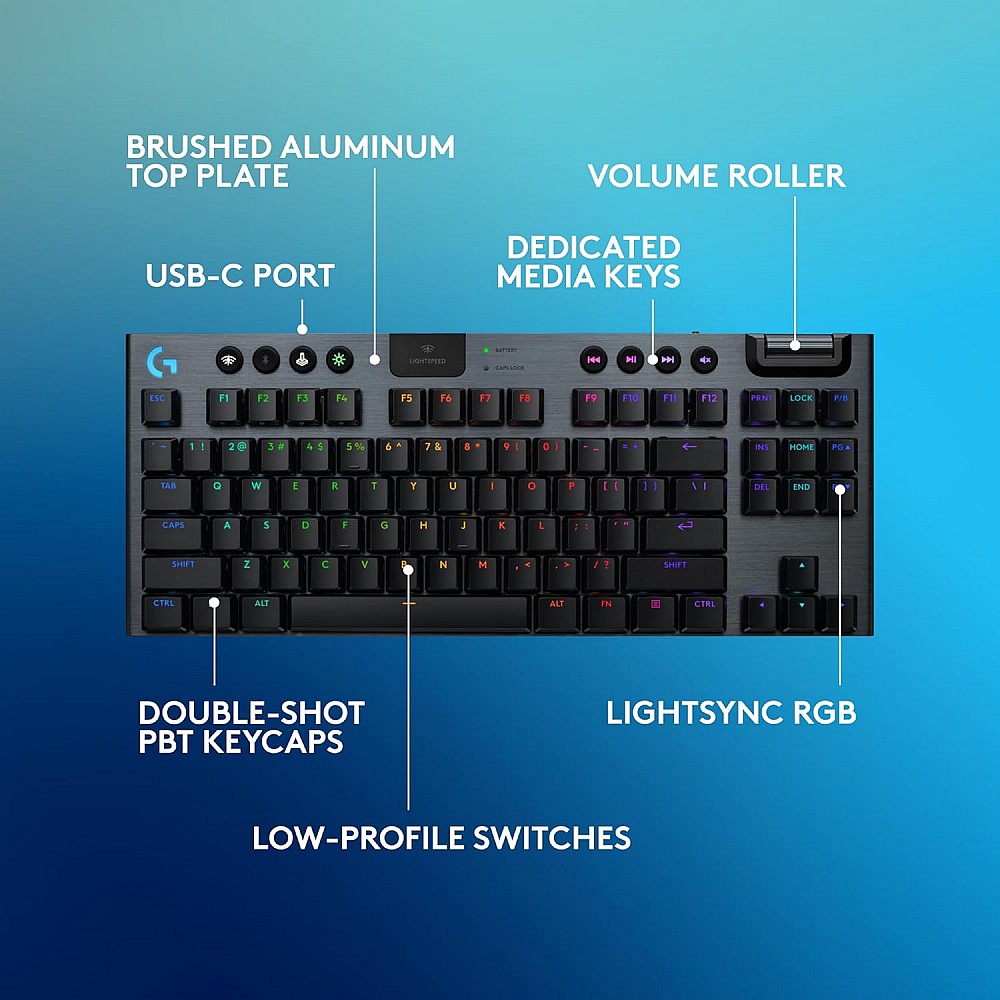
While often slightly higher priced, certain Logitech models occasionally fall within the affordable bracket.
Strengths:
- Strong brand reliability
- Clean design
- Solid software support
For programmers seeking long-term durability and brand-backed support, Logitech remains dependable.
Comparison Table: Best Affordable Mechanical Keyboards for Programmers
Feature Comparison at a Glance
| Brand | Layout Options | Hot-Swappable | Switch Type Options | Connectivity | Build Quality | Ideal For |
|---|---|---|---|---|---|---|
| Keychron | 60%, 75%, TKL | Some models | Gateron (Red/Brown/Blue) | Wired + Wireless | Aluminum/Plastic Hybrid | Professional office setups |
| Royal Kludge | 60%, 65%, 75% | Yes (selected) | RK Red/Brown/Blue | Wired + Bluetooth | Solid Plastic | Compact desk users |
| Redragon | TKL, Full-size | Limited | Outemu Red/Blue/Brown | Wired | Metal Top Plate | Budget-focused programmers |
| Logitech | Full-size, TKL | No | Proprietary Switches | Wired | Premium Aluminum | Long-term reliability |
This comparison highlights that affordable keyboards can still deliver strong functionality without sacrificing performance.
Ergonomics and Long Coding Sessions
Programming requires sustained focus and repetitive keystrokes. Ergonomic considerations reduce strain and fatigue.
Wrist Positioning
Maintain a neutral wrist position. External wrist rests can improve comfort.
Key Actuation Force
Lower actuation force reduces finger fatigue. Brown and red-type switches typically require less force than clicky switches.
Desk Setup
Ensure keyboard height aligns with elbow level. Research from occupational health institutions emphasizes posture alignment to prevent strain.
Mechanical keyboards with adjustable feet help achieve better typing angles.
RGB and Backlighting: Necessary or Optional?
Backlighting assists programmers working in low-light environments. White LED backlighting is practical without being distracting.
RGB lighting is optional. It does not improve performance but enhances aesthetics. For professional environments, subtle lighting is preferable.
Noise Considerations
Clicky switches can exceed 50–60 decibels, which may disturb shared spaces. Tactile or linear switches are quieter alternatives.
O-rings can further reduce key bottoming noise.
For programmers in shared offices, silent switches are recommended.
Firmware and Programmability
Advanced models offer QMK or VIA firmware support, allowing key remapping and macro creation. For programmers using shortcuts extensively in IDEs like VS Code or IntelliJ IDEA, custom mapping can improve efficiency.
However, firmware customization is not mandatory for most users. Beginners should prioritize comfort and build quality first.
Maintenance and Longevity
Affordable mechanical keyboards can last many years with proper care:
- Regular cleaning with compressed air
- Keycap removal every few months
- Avoiding liquid exposure
- Replacing worn keycaps when needed
Mechanical keyboards are easier to repair compared to membrane alternatives, increasing long-term value.
Common Mistakes When Buying a Budget Mechanical Keyboard
Choosing Based Solely on RGB
Lighting should not override switch quality and build.
Ignoring Layout Needs
Compact layouts may hinder productivity if function keys are frequently used.
Overlooking Return Policies
Switch preference is subjective. Reliable sellers with return options reduce risk.
Not Checking Key Rollover
Programmers often press multiple keys simultaneously. Ensure at least N-key rollover support.
Frequently Asked Questions
1. Are mechanical keyboards really better for programming?
Yes. Mechanical switches offer consistent actuation, durability, and tactile feedback that enhance typing accuracy and comfort during long coding sessions.
2. Which switch type is best for programmers?
Tactile (brown-type) switches are widely preferred because they balance feedback and noise. Linear switches are good for speed-focused typists.
3. Is a 60% keyboard practical for coding?
It can be, but frequent use of function keys or navigation keys may require layered shortcuts. Many programmers prefer TKL layouts for convenience.
4. How long does a budget mechanical keyboard last?
Most quality mechanical switches are rated for tens of millions of keystrokes, often lasting 5–10 years depending on usage.
5. Are hot-swappable keyboards worth it?
Yes. They allow easy switch replacement without soldering, extending keyboard lifespan and customization potential.
6. Does wireless affect performance?
Modern wireless keyboards have minimal latency, but wired connections provide maximum reliability and consistent power.
7. Is aluminum build necessary?
Not mandatory. A strong plastic build can still be durable. Aluminum adds sturdiness and premium feel.
8. How much should a programmer spend?
A budget between ₹3,000 and ₹8,000 typically provides excellent quality without overpaying.
Final Thoughts: Choosing the Right Affordable Mechanical Keyboard
An affordable mechanical keyboard for programmers is not about chasing premium branding or advanced lighting features. It is about selecting a reliable tool that supports productivity, comfort, and long-term use. The ideal keyboard balances tactile feedback, durable construction, practical layout, and dependable switches.
Programmers should evaluate typing style, workspace environment, and daily usage patterns before purchasing. A well-chosen mechanical keyboard can significantly enhance typing accuracy, reduce fatigue, and improve overall coding efficiency.
Affordable options today offer performance once limited to high-end models. By focusing on switch quality, layout suitability, and build durability, it is entirely possible to secure a mechanical keyboard that supports years of professional programming without exceeding budget constraints.
Selecting wisely ensures that every keystroke contributes to precision, speed, and comfort—qualities essential for modern software development.

