
Modern organizations operate in an environment where speed, accuracy, and scalability determine success. Manual processes slow teams down, increase error rates, and make growth painful. Workflow automation software has become a strategic necessity rather than a convenience. From startups managing client onboarding to enterprises orchestrating cross-department operations, automation tools are reshaping how work gets done.
According to widely recognized industry research from leading analyst firms, organizations that adopt workflow automation and business process management platforms consistently report higher productivity, lower operational costs, and improved employee satisfaction. Automation reduces repetitive tasks and frees teams to focus on higher-value work such as strategy, creativity, and customer experience.
This guide explores the top automation software for workflow management, comparing features, strengths, ideal use cases, and limitations. The goal is to provide practical, unbiased, and research-backed insights to help businesses choose the right solution for their needs.
What Is Workflow Automation Software?
Workflow automation software is designed to streamline and automate repetitive business processes across applications and teams. It connects systems, triggers actions based on predefined rules, and ensures that tasks move forward without manual intervention.
Common use cases include:
- Automating lead capture and CRM updates
- Routing support tickets to the correct department
- Synchronizing data between cloud applications
- Managing approvals and document workflows
- Sending notifications and reminders
Automation tools typically fall into three categories:
- Integration-based automation platforms
- Project and task management automation tools
- Enterprise-level process automation systems
Each serves a different business maturity level and technical requirement.
Why Workflow Automation Matters More Than Ever
Organizations face increasing pressure to deliver faster results with limited resources. Hybrid work models, distributed teams, and multi-app ecosystems have made manual coordination inefficient. Automation software provides:
- Faster turnaround times
- Reduced human error
- Consistent compliance enforcement
- Improved visibility into processes
- Better scalability
Automation also supports digital transformation initiatives by connecting legacy systems with modern cloud tools, allowing businesses to modernize without rebuilding everything from scratch.
1. Zapier
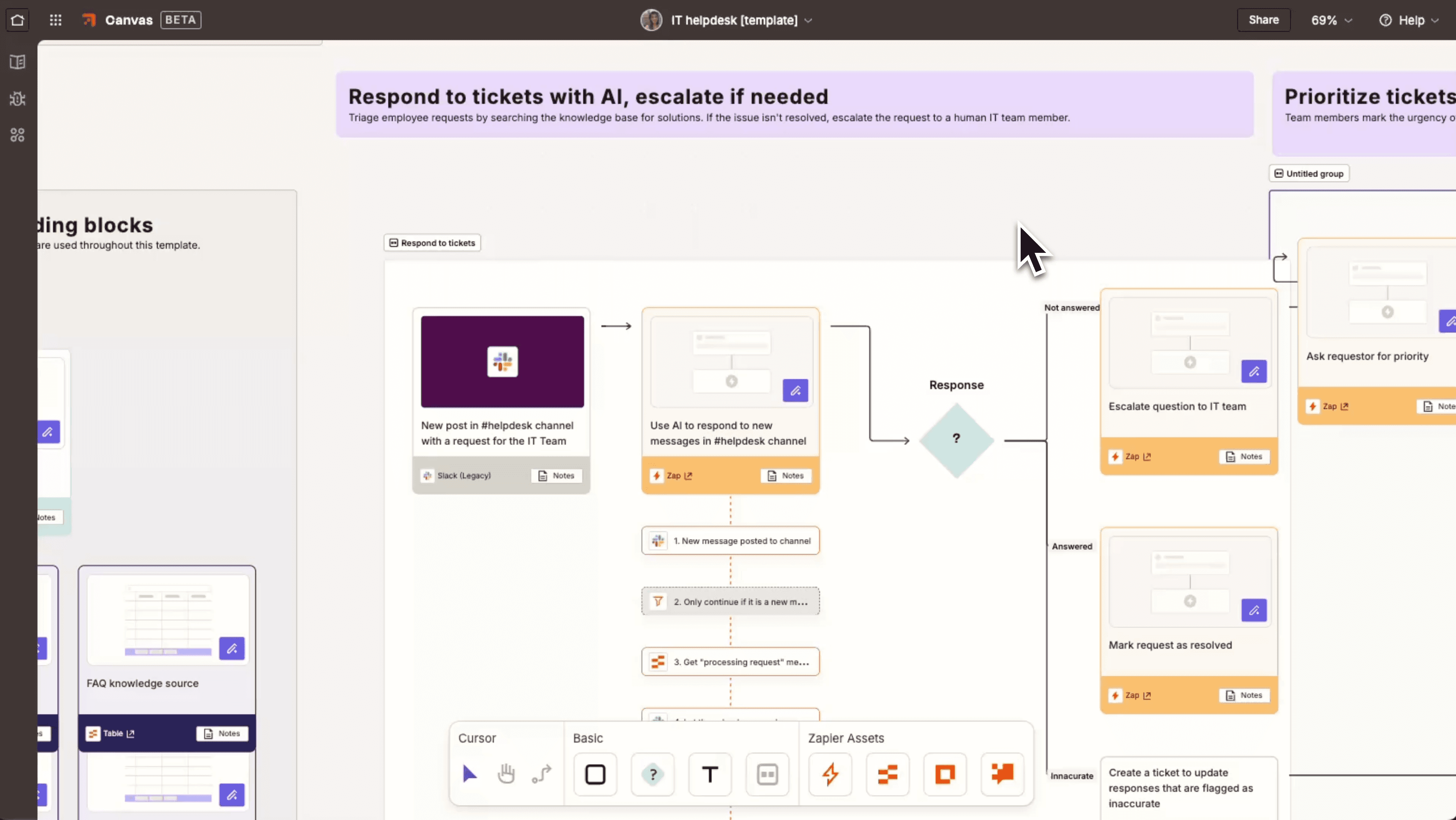
Zapier is one of the most recognized integration-based automation platforms in the world. It connects thousands of apps without requiring complex coding skills.
Key Strengths
- Connects 6,000+ applications
- User-friendly visual automation builder
- Conditional logic and multi-step workflows
- Strong ecosystem for small and medium businesses
Zapier works by creating “Zaps,” which are automated workflows triggered by specific events. For example, when a new form submission is received, Zapier can automatically add the contact to a CRM, send a Slack notification, and generate a follow-up email.
Best For
- Startups and small businesses
- Marketing and sales automation
- Non-technical users
Limitations
- Costs increase as task volume grows
- Limited deep enterprise process management
Zapier is ideal when simplicity and broad app integration are top priorities.
2. Microsoft Power Automate
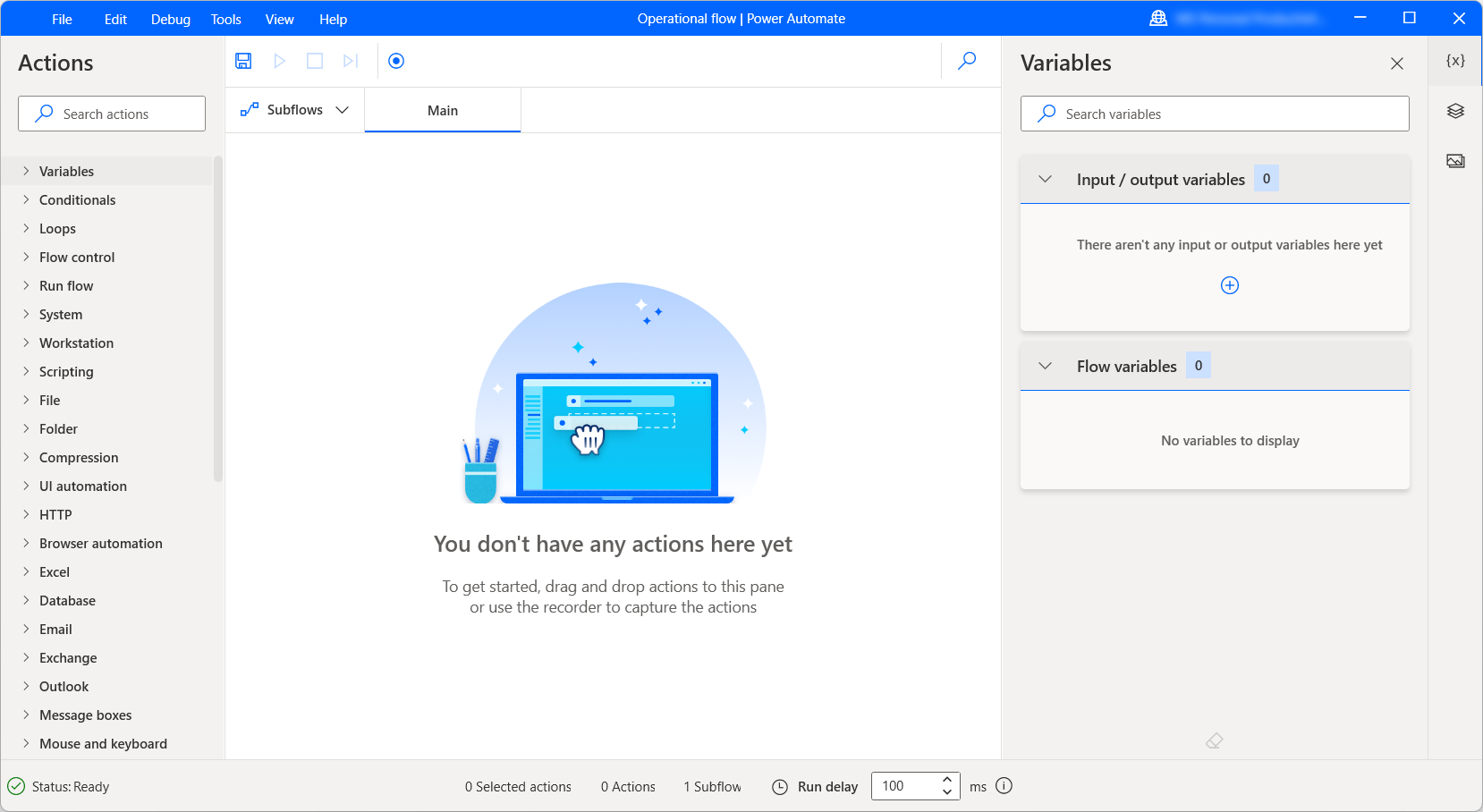
Microsoft Power Automate is part of the Microsoft ecosystem and integrates deeply with Microsoft 365, Dynamics, Azure, and hundreds of third-party services.
Key Strengths
- Advanced robotic process automation (RPA)
- AI Builder integration
- Enterprise-grade compliance and security
- Deep integration with SharePoint, Outlook, and Teams
Power Automate supports both cloud-based flows and desktop automation, allowing businesses to automate legacy applications that do not offer APIs.
Best For
- Organizations already using Microsoft products
- Enterprises requiring advanced automation
- Businesses needing RPA capabilities
Limitations
- Learning curve for advanced flows
- Licensing complexity
For companies deeply invested in Microsoft infrastructure, Power Automate offers scalability and strong governance controls.
3. Monday.com Work OS
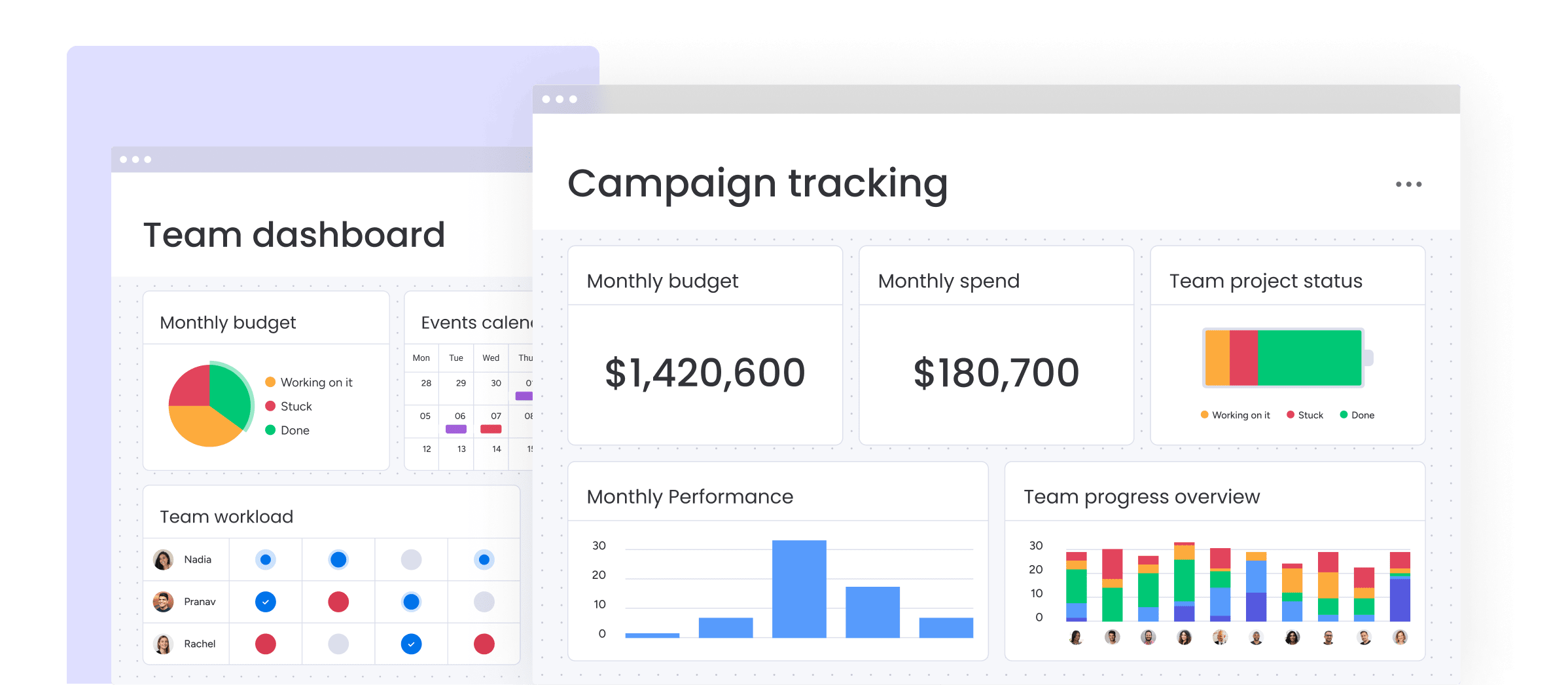
Monday.com combines project management and automation within a single visual interface. It enables teams to create automated workflows inside boards.
Key Strengths
- Visual, intuitive interface
- Built-in project and task tracking
- Custom automation triggers
- Strong collaboration tools
Monday.com allows teams to create automation rules like: “When status changes to Approved, notify Finance and create invoice task.” This reduces manual follow-up and improves accountability.
Best For
- Marketing and creative teams
- Cross-functional collaboration
- Mid-sized companies
Limitations
- Less robust for deep backend integrations compared to dedicated automation tools
- Advanced automation requires higher-tier plans
It excels in making workflow visibility and automation accessible to non-technical teams.
4. Asana Automation

Asana integrates automation directly into its project management platform through rules and task triggers.
Key Strengths
- Automation embedded within task workflows
- Conditional logic for project management
- Strong reporting features
- Easy rule builder
Asana allows teams to automatically assign tasks, set due dates, or move tasks between sections when certain conditions are met. This ensures projects stay on track without constant manual updates.
Best For
- Project-driven organizations
- Agile teams
- Operations management
Limitations
- Not a full-scale integration automation platform
- Limited RPA capabilities
Asana’s automation is highly effective for improving internal workflow consistency.
5. UiPath
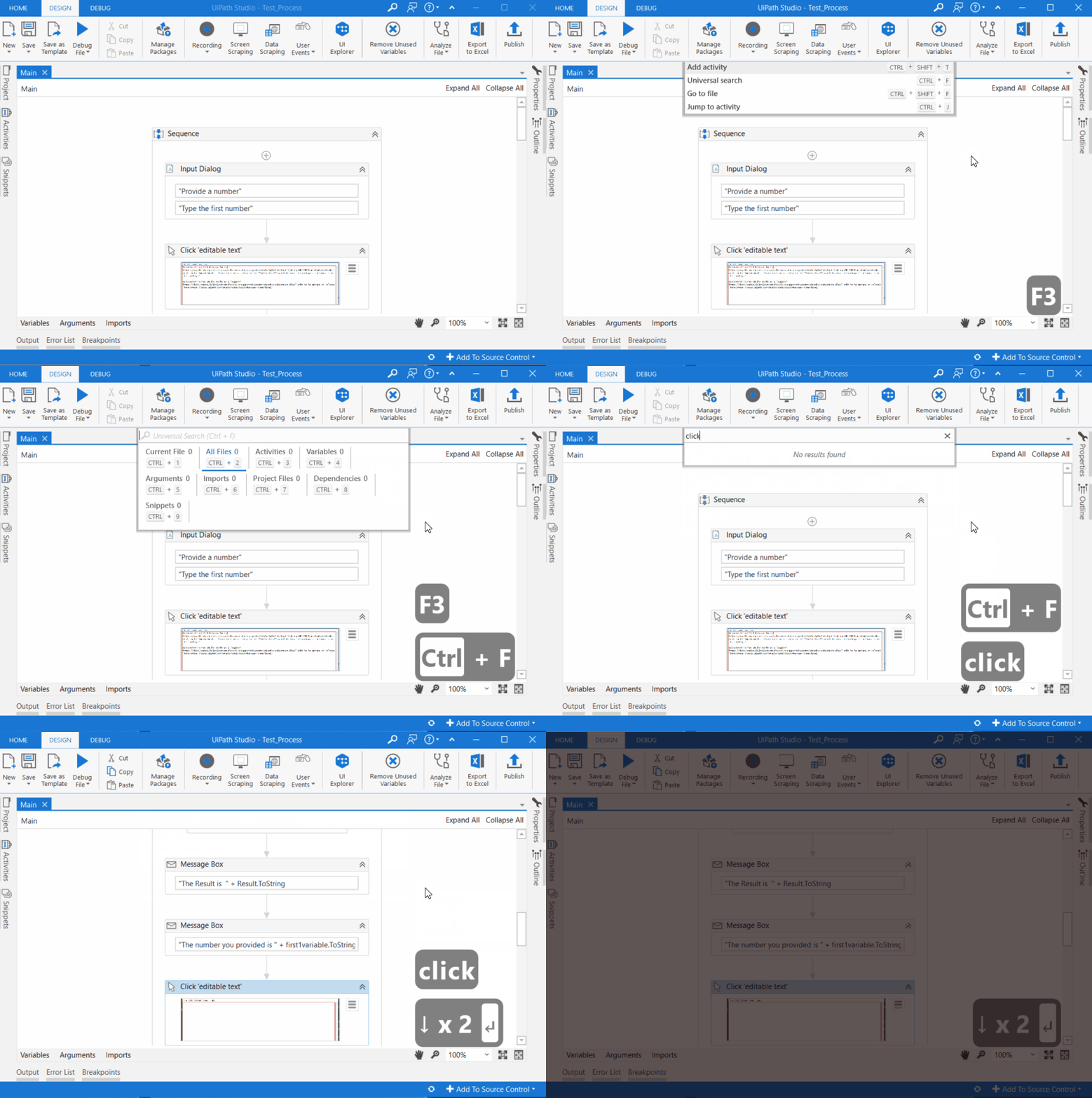
UiPath is a leader in robotic process automation. It focuses on automating repetitive tasks that traditionally required human interaction with desktop software.
Key Strengths
- Advanced RPA capabilities
- AI-driven automation
- Enterprise scalability
- Strong compliance framework
UiPath bots can replicate human actions such as logging into systems, extracting data, and generating reports. This is particularly useful in finance, healthcare, and large-scale operations.
Best For
- Large enterprises
- High-volume repetitive tasks
- Legacy system automation
Limitations
- Higher implementation complexity
- Requires technical expertise
UiPath is powerful but best suited for organizations with dedicated IT support.
6. Trello Automation (Butler)
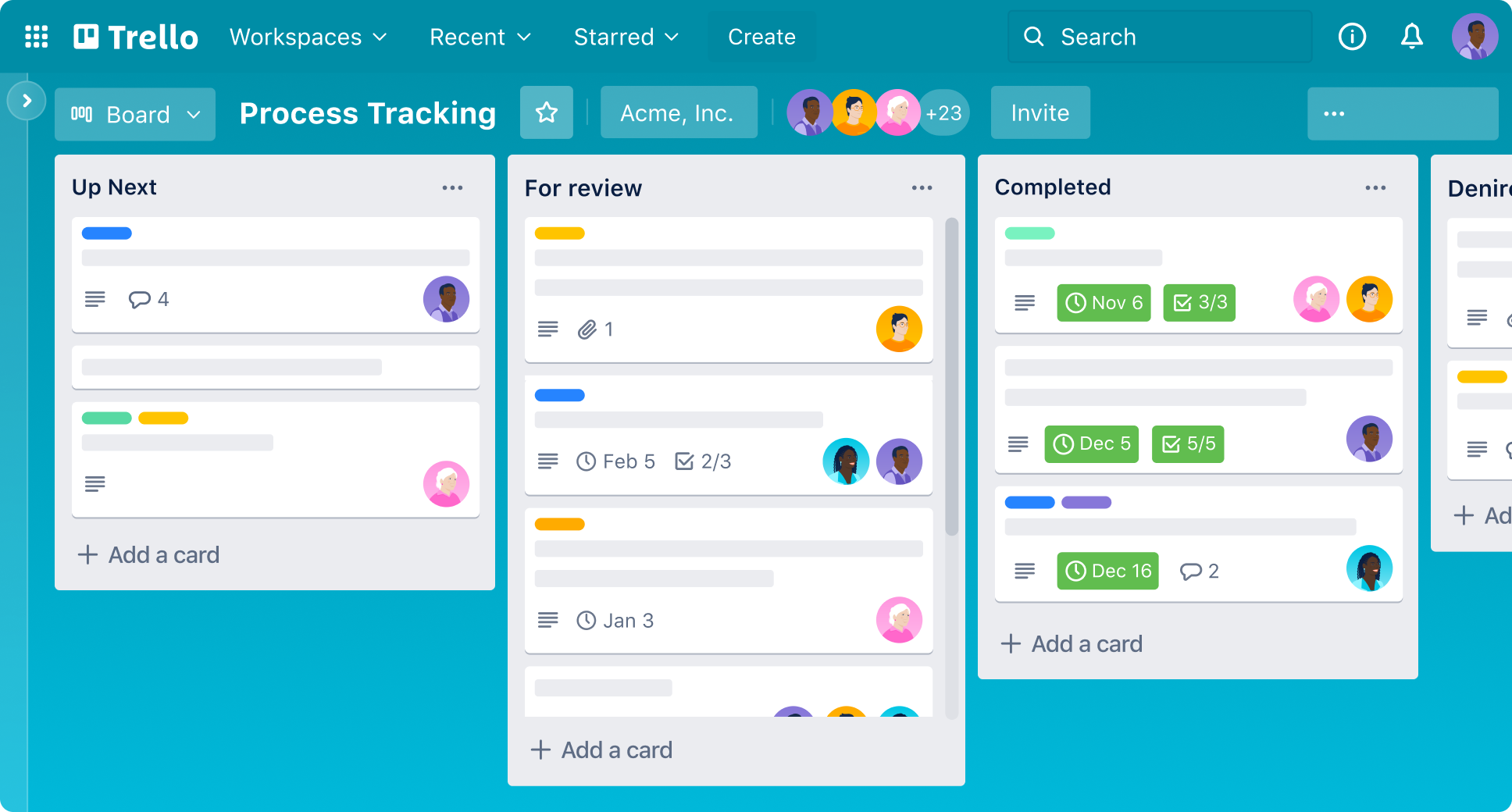
Trello includes built-in automation through Butler, which allows users to create rule-based workflows.
Key Strengths
- Simple rule creation
- Card movement automation
- Integration with other productivity tools
- Lightweight and easy to use
Trello automation works well for small teams managing content calendars, support tickets, or simple project flows.
Best For
- Small teams
- Content and marketing workflows
- Lightweight project tracking
Limitations
- Limited advanced automation logic
- Not enterprise-grade
Trello automation prioritizes simplicity over complexity.
Comparison Table: Choosing the Right Automation Tool
Automation Software Feature Comparison
| Software | Best For | Integration Depth | RPA Support | Ease of Use | Enterprise Scalability |
|---|---|---|---|---|---|
| Zapier | SMB integrations | Very High | Limited | Very Easy | Moderate |
| Microsoft Power Automate | Microsoft ecosystem | High | Yes | Moderate | High |
| Monday.com | Team workflows | Moderate | No | Easy | Moderate |
| Asana | Project automation | Moderate | No | Easy | Moderate |
| UiPath | Enterprise RPA | High | Advanced | Complex | Very High |
| Trello | Lightweight workflows | Basic | No | Very Easy | Low |
This comparison highlights how different tools serve distinct operational needs. Integration platforms focus on app connectivity, while RPA platforms automate human-like tasks at scale.
How to Choose the Best Workflow Automation Software
Selecting the right tool requires evaluating several factors:
1. Business Size and Complexity
Small teams may benefit from intuitive platforms like Zapier or Trello, while enterprises often require solutions like Power Automate or UiPath.
2. Integration Requirements
Consider the number of apps in your ecosystem. Businesses using Microsoft tools heavily may find Power Automate more efficient due to native integration.
3. Technical Expertise
Some platforms require minimal setup, while others demand IT involvement. Assess internal capability before choosing an enterprise-grade tool.
4. Budget and Licensing Structure
Automation costs can increase based on task volume or user count. Carefully analyze pricing tiers and scalability.
5. Compliance and Security
Industries such as healthcare and finance require automation tools that meet strict regulatory standards. Enterprise platforms typically offer advanced governance controls.
Real-World Applications of Workflow Automation
Automation software impacts various departments:
Marketing
- Automatically nurturing leads
- Synchronizing CRM data
- Triggering campaign follow-ups
Human Resources
- Onboarding new employees
- Managing leave approvals
- Document collection workflows
Finance
- Invoice processing
- Expense approvals
- Automated reporting
IT Operations
- Ticket routing
- Monitoring system alerts
- Automating repetitive maintenance tasks
Organizations that deploy automation strategically often experience measurable improvements in efficiency and employee satisfaction.
Common Mistakes to Avoid
Even the best automation tools can fail if implemented poorly. Avoid these common pitfalls:
- Automating broken processes without redesigning them
- Overcomplicating workflows
- Ignoring change management
- Neglecting monitoring and optimization
Automation should simplify processes, not create additional complexity.
Future Trends in Workflow Automation
The next generation of automation platforms is being shaped by artificial intelligence and low-code development.
Key trends include:
- AI-driven decision automation
- Hyperautomation combining RPA and AI
- Citizen developer platforms
- Process mining for optimization
As AI continues to mature, automation tools will increasingly predict workflow bottlenecks and suggest improvements automatically.
Frequently Asked Questions
What is the difference between workflow automation and RPA?
Workflow automation connects systems and automates digital processes across applications, while RPA focuses on mimicking human actions within software environments. RPA is typically more complex and enterprise-oriented.
Is automation software suitable for small businesses?
Yes. Many tools such as Zapier and Trello offer affordable entry-level plans that significantly improve operational efficiency for small teams.
Does automation replace human jobs?
Automation reduces repetitive tasks but does not eliminate the need for human oversight. Instead, it shifts focus toward strategic and creative responsibilities.
How secure are workflow automation platforms?
Enterprise platforms provide advanced security features including encryption, role-based access control, and compliance certifications. Businesses should review vendor security documentation before adoption.
How long does implementation take?
Implementation time varies. Simple integrations can be set up in hours, while enterprise RPA deployments may require weeks or months depending on complexity.
Conclusion: Building a Smarter, More Efficient Workflow
Workflow automation software is no longer optional in a competitive digital economy. Organizations that rely solely on manual processes risk inefficiency, errors, and slow scalability. By strategically adopting automation tools that align with operational needs, businesses can improve speed, accuracy, and collaboration.
For small and medium businesses, integration-focused platforms offer quick wins and immediate efficiency gains. Mid-sized organizations benefit from project-based automation tools that embed workflows directly into daily operations. Enterprises handling high-volume tasks and legacy systems often require advanced RPA solutions.
Successful automation begins with process clarity. Identify repetitive tasks, define measurable outcomes, and implement solutions incrementally. Monitor results, refine workflows, and ensure teams are properly trained.
The right automation platform is not necessarily the most powerful one, but the one that fits seamlessly into the organization’s structure, technology stack, and growth strategy. When implemented thoughtfully, workflow automation becomes a long-term competitive advantage, enabling businesses to focus on innovation, strategy, and meaningful work rather than repetitive tasks.

