

Personal data is now one of the most valuable digital assets an individual owns. Financial records, identification numbers, browsing behavior, social media activity, and even location history are stored across devices and online platforms. As digital dependency increases, so does exposure to cyber threats. Reports from the Federal Trade Commission consistently show millions of identity theft and fraud complaints every year, demonstrating that cybercrime affects ordinary individuals far more frequently than many assume.
Protecting personal data requires more than installing antivirus software. It involves understanding attacker behavior, strengthening everyday digital habits, and applying layered security measures. This guide provides a comprehensive, practical framework to significantly reduce the risk of hacking, identity theft, and data misuse.
How Hackers Actually Target Personal Data

Modern hackers rarely rely on complex code-breaking techniques. Instead, they exploit predictable human behavior and weak digital hygiene. According to guidance from the Cybersecurity and Infrastructure Security Agency, the majority of successful cyberattacks begin with phishing, credential theft, or unpatched vulnerabilities.
Common attack methods include:
• Phishing emails that mimic banks, delivery services, or government agencies
• Fake login pages designed to capture usernames and passwords
• Malware hidden in downloads or attachments
• Credential stuffing using leaked passwords
• Intercepting data on unsecured Wi-Fi networks
Once hackers obtain login credentials, they often test the same password across multiple platforms. This chain reaction can expose email, social media, cloud storage, and banking accounts within minutes.
Understanding these attack patterns is the first step toward prevention.
Build Strong, Unique Password Protection
Weak passwords remain one of the most common entry points for cybercriminals. Research from the UK National Cyber Security Centre recommends using long passphrases instead of short, complex strings that are difficult to remember.
Strong password practices include:
• Using at least 12–16 characters
• Combining unrelated words into a passphrase
• Avoiding personal information such as birthdays
• Never reusing passwords across platforms
Password reuse is particularly dangerous. When companies suffer data breaches, attackers often sell stolen credentials on underground forums. If the same password is used elsewhere, those accounts become easy targets.
A reputable password manager can generate and store complex passwords securely. This eliminates the temptation to reuse simple credentials and significantly reduces vulnerability.
Enable Multi-Factor Authentication Everywhere Possible

Multi-factor authentication (MFA) adds a second verification layer beyond passwords. Even if login credentials are stolen, attackers cannot access the account without additional proof of identity.
The Federal Bureau of Investigation strongly recommends enabling MFA on financial accounts, email services, and social platforms.
Common MFA methods include:
• Authenticator app codes
• SMS-based one-time passwords
• Biometric verification (fingerprint or facial recognition)
• Hardware security keys
Authenticator apps are generally more secure than SMS codes, which can be vulnerable to SIM-swapping attacks. For high-risk accounts such as online banking and cloud storage, hardware security keys offer one of the strongest protections available to consumers.
Keep Software and Devices Updated

Software updates are not merely feature upgrades; they frequently contain security patches that fix vulnerabilities discovered by researchers or exploited by attackers.
The National Institute of Standards and Technology emphasizes patch management as a foundational cybersecurity practice. When updates are delayed, devices remain exposed to known weaknesses that attackers actively scan for online.
Best practices include:
• Enabling automatic updates on operating systems
• Updating browsers and extensions regularly
• Removing unsupported or outdated software
• Updating router firmware and smart devices
Cybercriminals often target outdated systems because they are easier to compromise. Consistent updates dramatically reduce this risk.
Protect Your Home Wi-Fi Network
Home routers are critical security gateways. If compromised, attackers can intercept traffic, redirect users to malicious sites, or monitor connected devices.
To secure a home network:
• Change the default router username and password
• Use WPA3 or at least WPA2 encryption
• Disable remote management unless necessary
• Create a separate guest network for visitors
• Hide the router’s default SSID if appropriate
Router security is often overlooked, yet it protects every connected device including smartphones, laptops, and smart home appliances.
Be Careful with Public Wi-Fi
Public Wi-Fi networks in airports, hotels, and cafés present significant risks. Attackers can set up fake networks or intercept unencrypted traffic through man-in-the-middle attacks.
To stay safe on public networks:
• Avoid accessing banking or sensitive accounts
• Use a trusted virtual private network (VPN)
• Turn off automatic Wi-Fi connection settings
• Verify network names with official staff
If possible, mobile data connections are generally more secure than public Wi-Fi hotspots.
Recognize and Avoid Phishing Attacks

Phishing remains one of the most effective hacking techniques. These messages often create urgency, claiming account suspension, delivery problems, or suspicious activity.
Warning signs include:
• Generic greetings
• Spelling or grammatical errors
• Unexpected attachments
• Links that do not match official domains
• Requests for sensitive information
Always verify suspicious emails directly through official company websites rather than clicking embedded links. Awareness and skepticism are powerful defense tools.
Limit the Personal Information You Share Online
Oversharing on social media provides attackers with material for identity theft and password guessing. Publicly visible birthdays, pet names, phone numbers, and workplace details can help hackers bypass security questions.
Practical steps include:
• Reviewing social media privacy settings
• Removing public birthdates and contact details
• Avoiding location sharing in real time
• Limiting access to personal profiles
Reducing publicly available personal information lowers the risk of targeted attacks and social engineering.
Monitor Financial and Credit Activity Regularly
Early detection significantly reduces financial damage. Reviewing bank statements, transaction alerts, and credit reports helps identify unauthorized activity quickly.
Set up:
• Real-time transaction notifications
• Spending alerts for unusual purchases
• Periodic credit report checks
Prompt reporting limits potential losses and speeds recovery.
Use Antivirus and Endpoint Protection
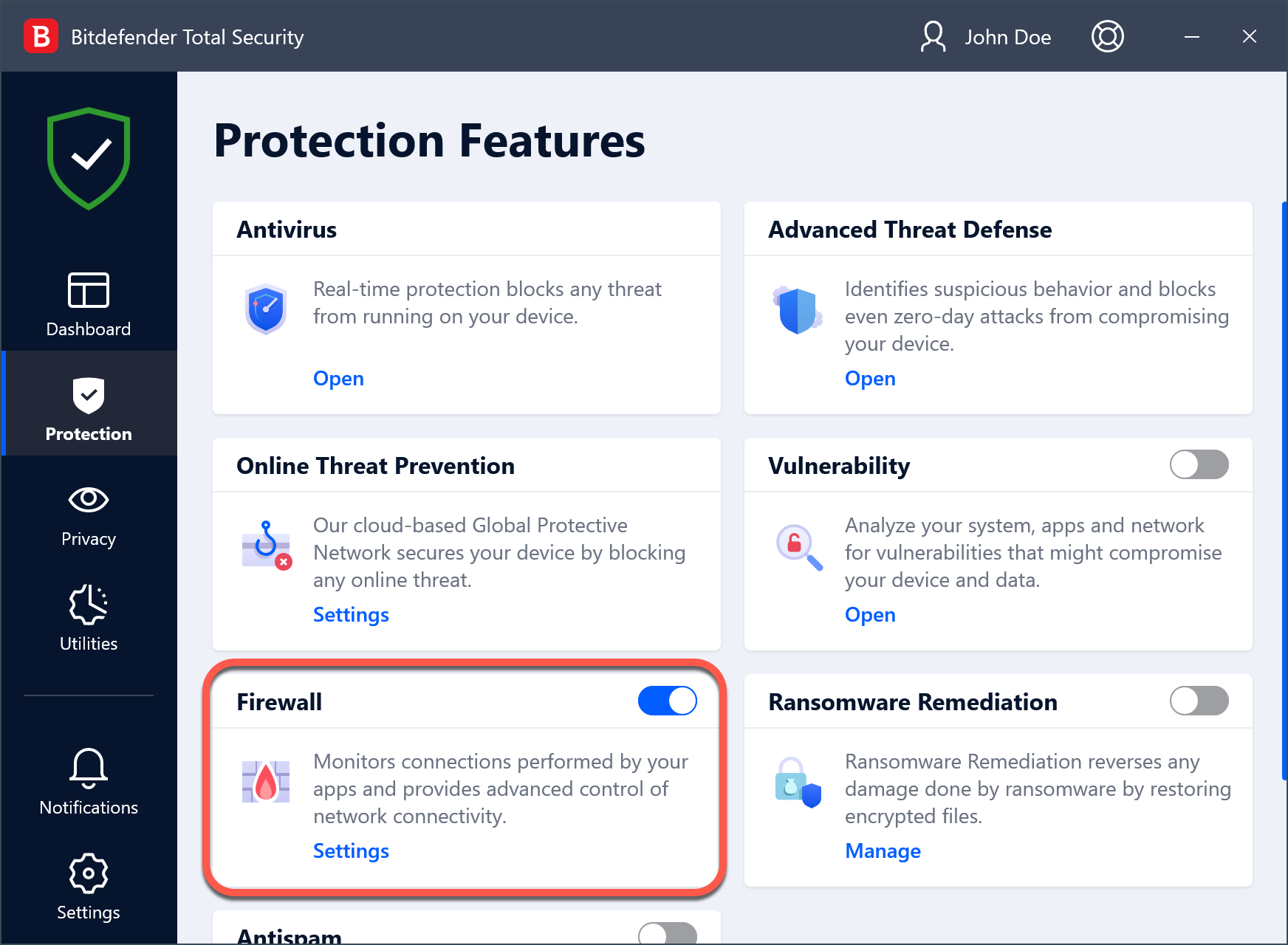
While no tool offers complete protection, reputable antivirus and endpoint security software can detect malware, ransomware, and suspicious behavior.
Modern security suites provide:
• Real-time threat detection
• Firewall protection
• Ransomware monitoring
• Safe browsing alerts
Antivirus software should complement, not replace, safe browsing habits and strong authentication practices.
Back Up Important Data Regularly
Ransomware attacks encrypt files and demand payment for restoration. Regular backups ensure data recovery without paying criminals.
Effective backup strategies include:
• Cloud backups with encryption
• External hard drive backups disconnected when not in use
• Automatic scheduled backups
The 3-2-1 rule is widely recommended: keep three copies of data, on two different media types, with one stored offline.
Comparison Table: Essential Data Protection Measures
Key Personal Data Protection Strategies Compared
| Security Measure | Primary Purpose | Risk Level Reduced | Ease of Implementation | Recommended For |
|---|---|---|---|---|
| Strong Unique Passwords | Prevent credential theft | High | Moderate | All online accounts |
| Multi-Factor Authentication | Block unauthorized access | Very High | Easy | Email, banking, cloud |
| Software Updates | Close vulnerabilities | High | Easy | All devices |
| VPN on Public Wi-Fi | Protect data in transit | Moderate | Easy | Travelers |
| Antivirus Protection | Detect malware | Moderate | Easy | Computers |
| Regular Backups | Prevent data loss | Very High | Moderate | Personal and work data |
| Router Security Setup | Protect home network | High | Moderate | Households |
Layering these measures provides significantly stronger protection than relying on any single solution.
Frequently Asked Questions
How do hackers get my password?
Hackers commonly obtain passwords through phishing emails, data breaches, malware infections, or credential stuffing using leaked databases. Reusing passwords increases vulnerability significantly.
Is antivirus software enough to protect personal data?
No. Antivirus software is only one layer of defense. Strong passwords, multi-factor authentication, software updates, and safe browsing practices are equally important.
Are password managers safe?
Reputable password managers use strong encryption to protect stored credentials. They reduce password reuse and generate secure combinations, making them safer than manual password storage methods.
What should be done immediately after suspecting a hack?
Change affected passwords immediately, enable multi-factor authentication, scan devices for malware, and contact financial institutions if necessary. Monitoring accounts for suspicious activity is essential.
Is public Wi-Fi always unsafe?
Public Wi-Fi is not inherently malicious but is less secure than private networks. Avoid sensitive transactions and use a VPN whenever possible.
How often should data be backed up?
Important data should be backed up at least weekly, with automatic backups preferred. Critical work files may require daily backups.
Final Thoughts: Building a Long-Term Digital Defense Strategy
Protecting personal data from hackers is not about achieving perfect security. It is about making accounts and devices difficult targets. Cybercriminals typically pursue the easiest opportunities. By implementing layered defenses such as strong passwords, multi-factor authentication, regular updates, secure networking practices, and consistent monitoring, individuals dramatically reduce their exposure to digital threats.
Cybersecurity is an ongoing responsibility. Technology evolves, and so do attack methods. Periodically reviewing privacy settings, updating security tools, and staying informed about emerging threats ensures long-term resilience.
Personal data protection is ultimately about awareness, discipline, and consistency. With the right habits and tools in place, individuals can navigate the digital world confidently while keeping sensitive information secure.
