
Choosing a laptop as a student in 2026 is no longer a simple decision. Coursework is cloud-based, lectures are streamed in high definition, collaboration happens in real time, and even entry-level programs now require more computing power than they did just a few years ago. At the same time, budgets remain tight. For many students in the UK, the realistic sweet spot sits under £500.
The good news is that this price range is no longer “basic” or underpowered. Thanks to improvements in processors from Intel and AMD, the growth of SSD storage, and more efficient Windows optimisation, students can now find genuinely capable machines without overspending. According to industry data from Statista, laptop adoption in education continues to rise year after year, pushing manufacturers to compete aggressively in the mid-range category.

What Students Actually Need in 2026
Before looking at specific models, it’s important to clarify what “good” means for a student laptop today. Many buyers focus on brand names or cosmetic design, but long-term performance and reliability matter far more.
1. Processor (CPU)
A modern quad-core processor is the minimum baseline for smooth performance. Current entry-level chips such as Intel Core i3 (12th or 13th Gen) or AMD Ryzen 3/5 provide more than enough power for Microsoft Office, Google Docs, Zoom, Microsoft Teams, multiple browser tabs, and streaming lectures.
Independent benchmark comparisons published by PassMark Software show that even entry-level CPUs today outperform mid-range processors from five years ago, meaning students get more performance for less money than ever before.
2. RAM (Memory)
8GB RAM is now the practical minimum for smooth multitasking. Windows 11 and modern browsers consume more memory than earlier operating systems. Official guidance from Microsoft confirms that while 4GB may technically run Windows, real-world productivity benefits significantly from 8GB or more.
Students studying computing, design, or data-related subjects may benefit from 16GB, but 8GB is sufficient for most courses under £500.
3. Storage (SSD vs HDD)
Solid State Drives (SSD) are essential. They dramatically improve boot times, app launches, and overall responsiveness. Research from Crucial demonstrates that SSDs can be up to 10x faster than traditional hard drives in daily computing tasks.
For students, 256GB SSD is ideal. Cloud storage options such as Google Drive and OneDrive reduce the need for massive internal storage.
4. Battery Life
A student laptop should last at least 8 hours on a single charge. University days often include back-to-back lectures and library sessions without guaranteed access to power outlets. Reviews and battery testing from reputable publications like TechRadar show that many modern mid-range laptops now deliver 8–12 hours under moderate usage.
5. Build Quality and Portability
A laptop under £500 will likely use plastic construction, but sturdiness still matters. Lightweight models between 1.3kg and 1.7kg are ideal for carrying in backpacks daily. Durable hinges and solid keyboards are especially important for long essay-writing sessions.
Best Budget Laptops Under £500 in 2026
Based on performance balance, reliability, battery life, and overall value, these models stand out in the UK market.
1. Acer Aspire 5 (2026 Edition)
Why it stands out: Consistent performance at affordable pricing.
Typical Specs:
- Intel Core i3 (12th/13th Gen) or Ryzen 5
- 8GB RAM
- 256GB SSD
- 15.6” Full HD display
- 8–10 hour battery
Acer has refined the Aspire line over several generations, making it one of the safest budget choices for general academic use.
Best for: Essay writing, research, online classes, light editing.
2. Lenovo IdeaPad 3
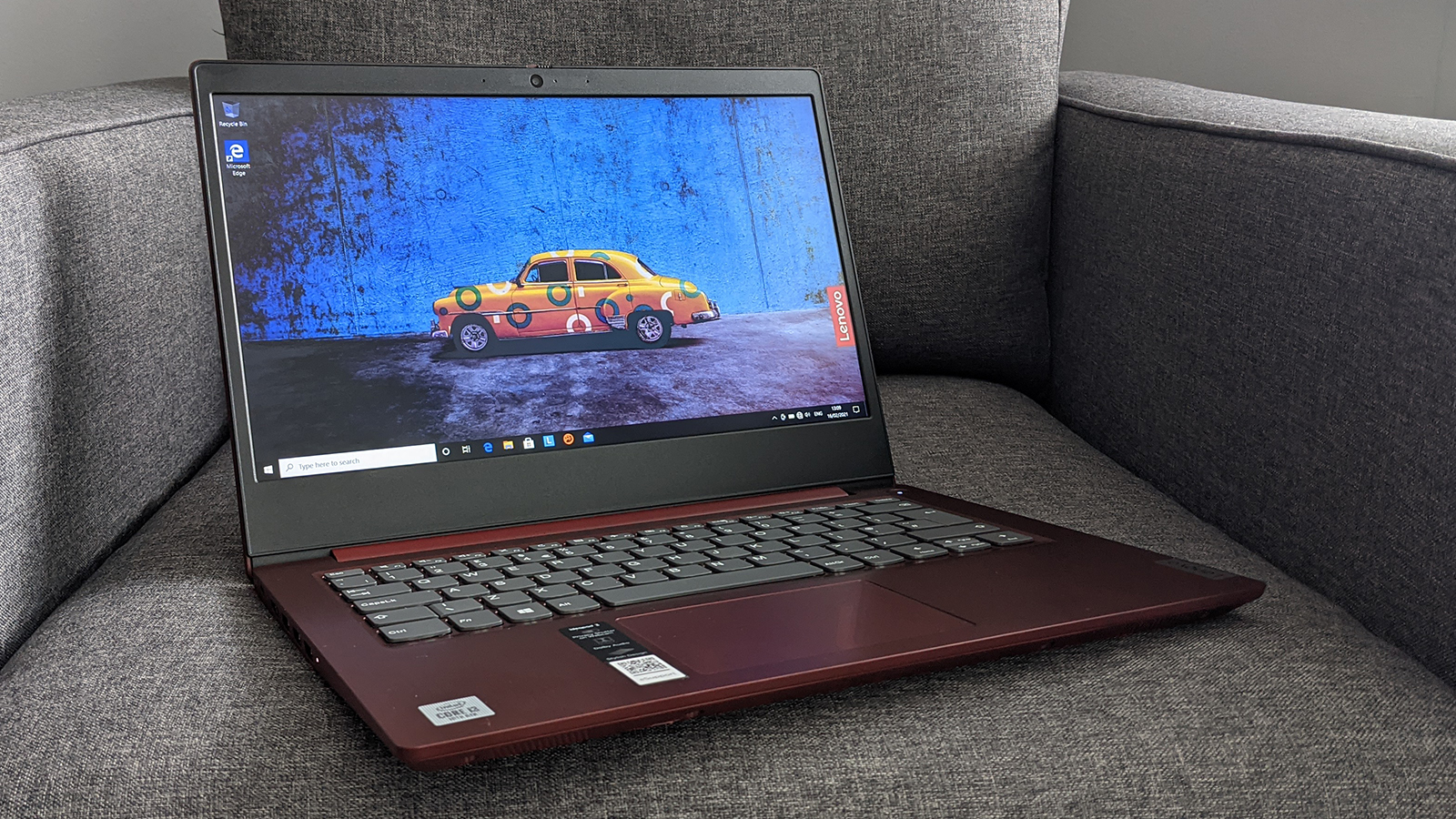
Why it stands out: Excellent keyboard and reliability.
Typical Specs:
- AMD Ryzen 3 or 5
- 8GB RAM
- 256GB SSD
- 14” or 15.6” Full HD display
- 8–11 hour battery
Lenovo keyboards are widely praised for comfort, making this ideal for long typing sessions.
Best for: Humanities, law, business students.
3. HP 15s
Why it stands out: Sleek design with solid performance balance.
Typical Specs:
- Intel Core i3 / Ryzen 5
- 8GB RAM
- 256GB SSD
- 15.6” Full HD
- 7–9 hour battery
HP offers a refined design and dependable performance for everyday coursework.
Best for: General degree programs and remote learning.
Comparison Table: Best Student Laptops Under £500 (2026)
| Model | Processor | RAM | Storage | Display | Battery | Best For |
|---|---|---|---|---|---|---|
| Acer Aspire 5 | i3 / Ryzen 5 | 8GB | 256GB SSD | 15.6” FHD | 8–10 hrs | All-round use |
| Lenovo IdeaPad 3 | Ryzen 3/5 | 8GB | 256GB SSD | 14–15.6” FHD | 8–11 hrs | Heavy typing |
| HP 15s | i3 / Ryzen 5 | 8GB | 256GB SSD | 15.6” FHD | 7–9 hrs | Balanced use |
Common Mistakes to Avoid
- Buying 4GB RAM in 2026
- Choosing HDD instead of SSD
- Ignoring screen resolution (always choose Full HD)
- Overspending on unnecessary features
FAQ
Is £500 enough for a university laptop in 2026?
Yes. For most degree programs, £500 is sufficient for a reliable laptop that handles academic workloads smoothly.
Is 8GB RAM enough?
Yes, for general coursework and multitasking. Only specialised programs may require 16GB.
Should students buy refurbished?
Certified refurbished units can offer excellent value if purchased from trusted retailers with warranty.
Final Thoughts
Students no longer need to spend over £800 for reliable academic computing. Under £500, it is now possible to purchase a machine that handles essays, research, video calls, cloud collaboration, and streaming without compromise. The key is focusing on modern processors, 8GB RAM, SSD storage, and solid battery life rather than flashy marketing.
When carefully selected, a budget laptop can comfortably last through an entire degree program and beyond, making it one of the most practical and important investments in academic success.
